Acme Coffee Co.Autumn menu
is here
Image Studio
Studio-quality visuals without the studio.
Get product shots, social visuals, thumbnails, ads and avatars that stop the scroll, in seconds and up to 4K, with your real products and people kept recognisable. No designer queue, no stock fees.
6 creative modesUp to 4KUp to 14 reference images
What you get
Visuals that look like you hired a photographer and a designer.
One studio for everything your marketing needs to look premium, from the product page to the YouTube feed.

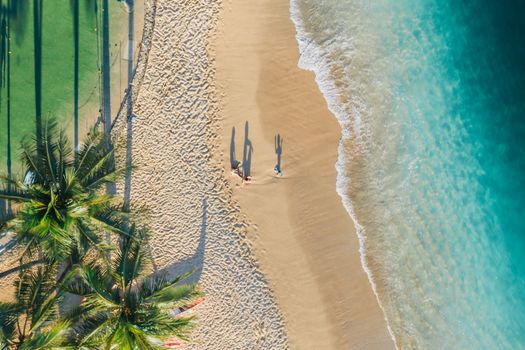
Summer dropSwipe up

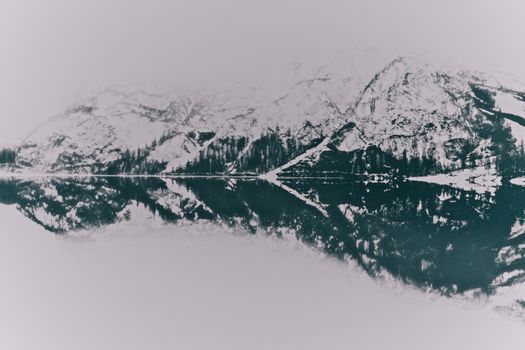 HIDDEN LAKES
OF THE ALPS

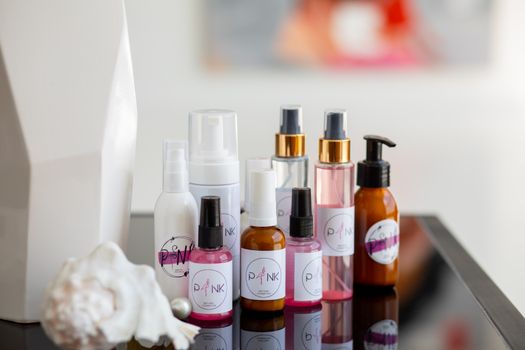
Sample photos and layouts, for illustration. Your results follow your own prompt and photos.
Why it matters
Stop letting visuals hold up your marketing.
Posts, ads and product pages stall while someone hunts through stock or waits on a designer. Get the exact image you pictured, in the shape the channel needs, the moment you need it.
Without Image Studio
- Waiting on a designer for every post and ad
- Stock photos that look like everyone else’s
- Product shots that need a photo studio
- Low-resolution images that blur on large screens
With Image Studio
- Images from a prompt in seconds
- Visuals that match your product, people and style
- Product photos, background removal and thumbnails built in
- Enhance and upscale to 4K
Up to 4K
Turn the photos you already have into ones you’re proud to post.
Clean cut-outs for your shop and ads, and crisp, upscaled images that stay sharp on large screens. Drag to compare.
See your product in a new light.Start free with AI credits included. No credit card needed.
Create your first image Your own photos
Your real product and people, in every image.
Add up to 14 of your own photos as references, depending on the model. Your real product, face or style carries through every result, so your brand looks the same on every channel.
- Real products, not look-alikes
- The same face across avatars and thumbnails
- One look across a whole campaign
Sample photo and layouts, for illustration.
“Add a warm sunset glow through the window.”
Refine
Almost right is never the end. Just say what to change.
No rewriting prompts and no starting over. Ask for the change in your own words, and the same model that made the image refines it, so the quality you liked stays.
- Change colours, light, props or mood in a sentence
- Come back to any image in your library and refine again
Every placement
The right shape for every channel, no awkward crops.
Make the image in the size the placement needs, so nothing important gets cut off in the feed. Available sizes depend on the model.
Square post1:1
 1:1
1:1Story / Reel9:16
Portrait feed4:5 · 3:4 · 2:3
Landscape4:3 · 3:2 · 5:4
 4:3
4:3Widescreen16:9
Ultrawide banner21:9
How it works
From idea to finished visual in three steps.
No design skills and no learning curve. Your first image is minutes away.
- Step 1Say what you needOne sentence is enough. Add a photo of your product or face to keep it true to life.
- Step 2Pick your favouriteGet up to four takes at once and keep the one that sells best.
- Step 3Polish and publishAsk for any change in plain words, then use it in your next post, article or video.
For your business
More sales, more clicks, less spent on design.
Whether you run a shop, a channel or a marketing team, better visuals mean more people stop, click and buy.
Sell more onlineLifestyle product shots and clean catalogue cut-outs, without booking a photo studio.
Never post without a visualA fresh, on-topic image for every post and carousel slide in your calendar.
Launch ads the same dayDesigned ad and banner layouts with room for your headline, in the shape each placement needs.
Win the click on YouTubeBold thumbnails with your words on them, built for the widescreen feed.
Look professional everywherePolished avatars for you and your team, from one clear photo or a short description.
Cut design and stock costsMake the image you described instead of paying for stock everyone else uses.
6creative modes in one studio
4Ktop resolution, sharp on big screens
14reference photos of your own, depending on the model
1–4variants per run to choose from
FAQ
Questions, answered.
Something else on your mind? Our team is happy to help.
Any image from a prompt, plus YouTube thumbnails, product photos and avatars. It can also remove backgrounds and enhance existing images (sharpen, upscale to 4K, remove noise).
Works well with
Make it once, use it everywhere.
Every image lands in your workspace library, one click away wherever you create.
AI Post Creator
Every post gets a matching image: pick it from your library in one click.
Writer Studio
Give each article a featured image that fits the topic, not a stock cliché.
Video Studio
Drop your Studio images into video scenes to keep the whole campaign on-look.
Agent Gopi
Hand Agent Gopi an image and get a post or caption written around it.
Ready to grow?
Your next best-performing visual is a sentence away.
Start free with AI credits included. No credit card needed.
No credit card requiredAI credits includedCancel anytime